MAG/STB Setup Guide
What You'll Need
- MAG/STB Device
- Your HoxyTV subscription credentials
- Stable internet connection
Step 1: Configure Your IPTV
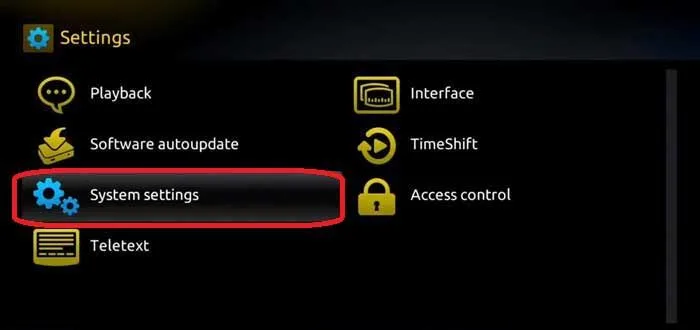
- Launch System settings.
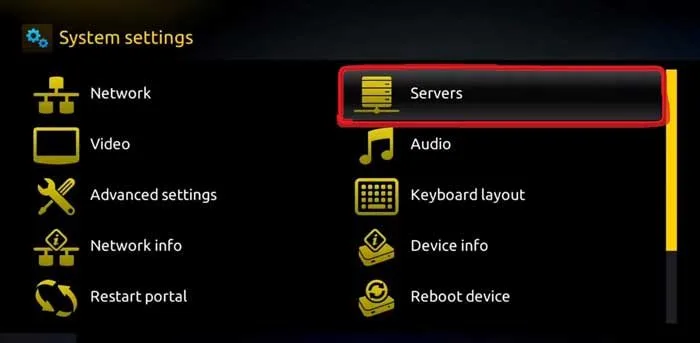
- Navigate to the Servers option.
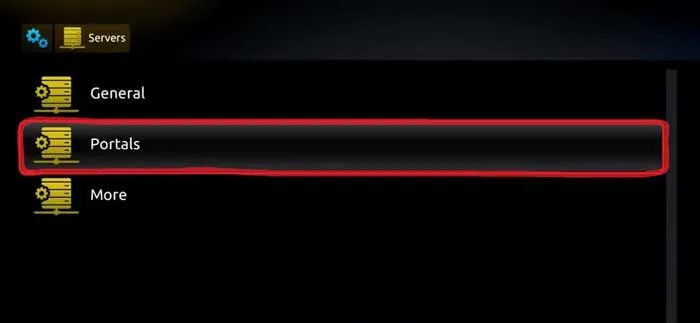
- Select the “Portals” option.
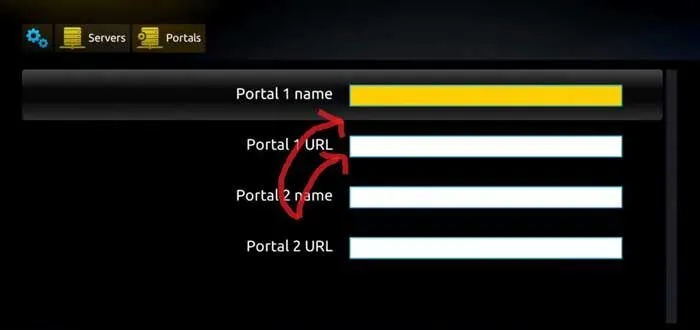
- Give the Portal a name then enter the link HHoxyTV have provided you.
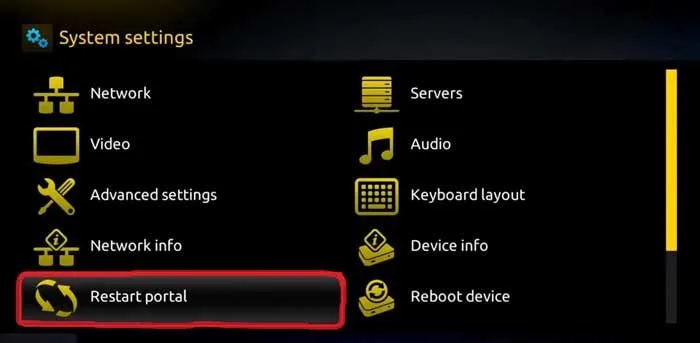
- Now, go back to the System settings and click on the restart portal option.
🎉 You're All Set!
Your MAG/STB device is now configured with HoxyTV. Start streaming your favorite content!