iOS Setup Guide
What You'll Need
- iPhone or iPad with iOS 12.0 or later
- Your HoxyTV subscription credentials
- Stable internet connection
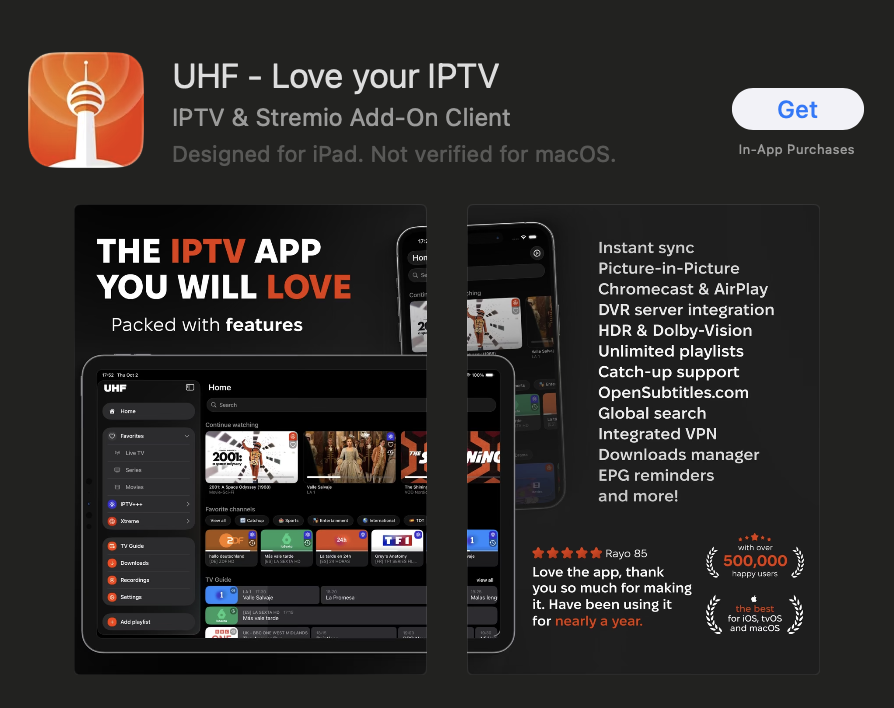
Step 1: Download IPTV App from App Store
- Open the App Store on your iOS device
- Search for: UHF or IPTVX or IPTV Smarters or Click on the links below:
- Tap Get to download and install the app
- Wait for the installation to complete
Step 2: Configure Your IPTV
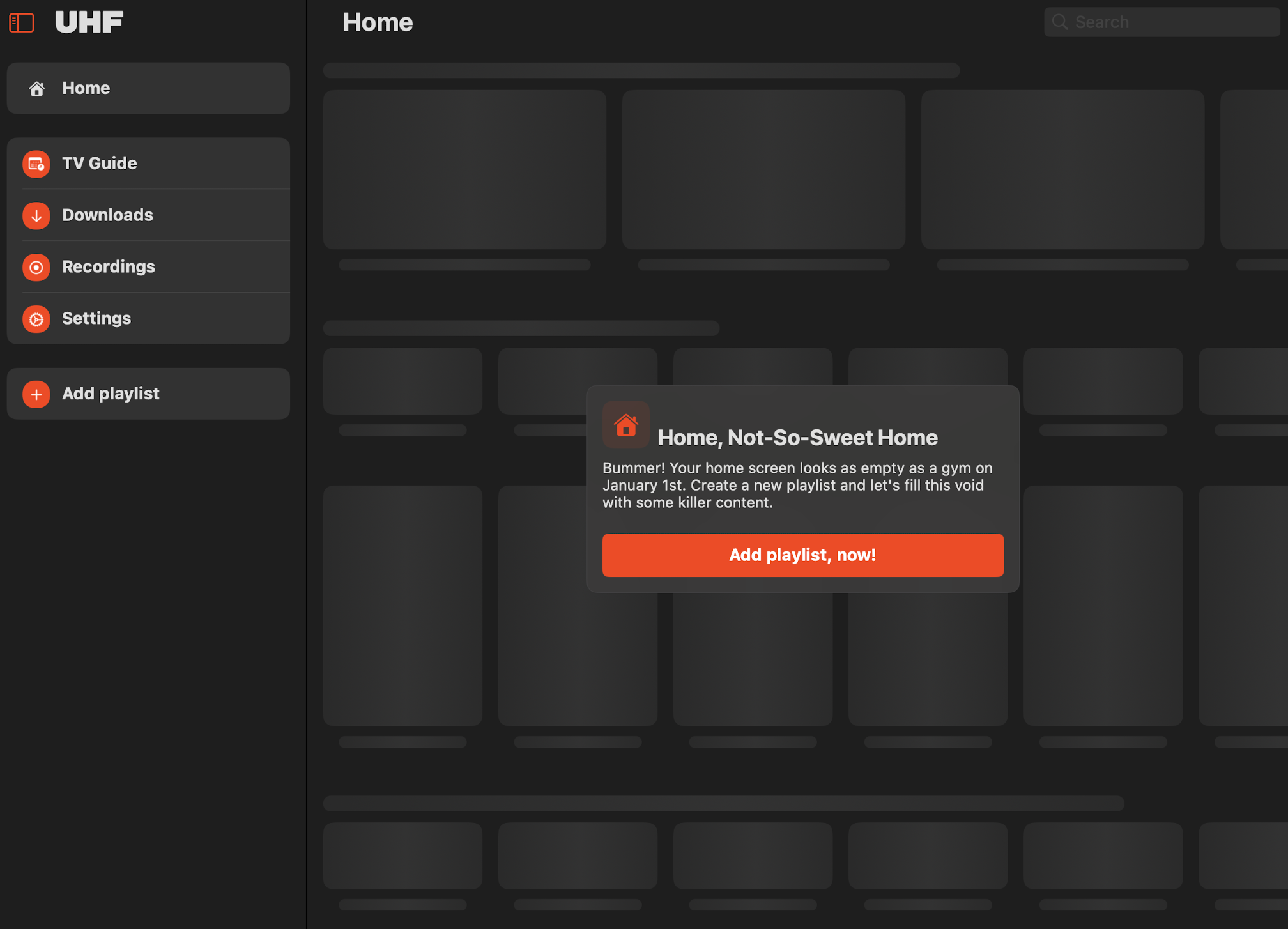
- Open the installed IPTV app
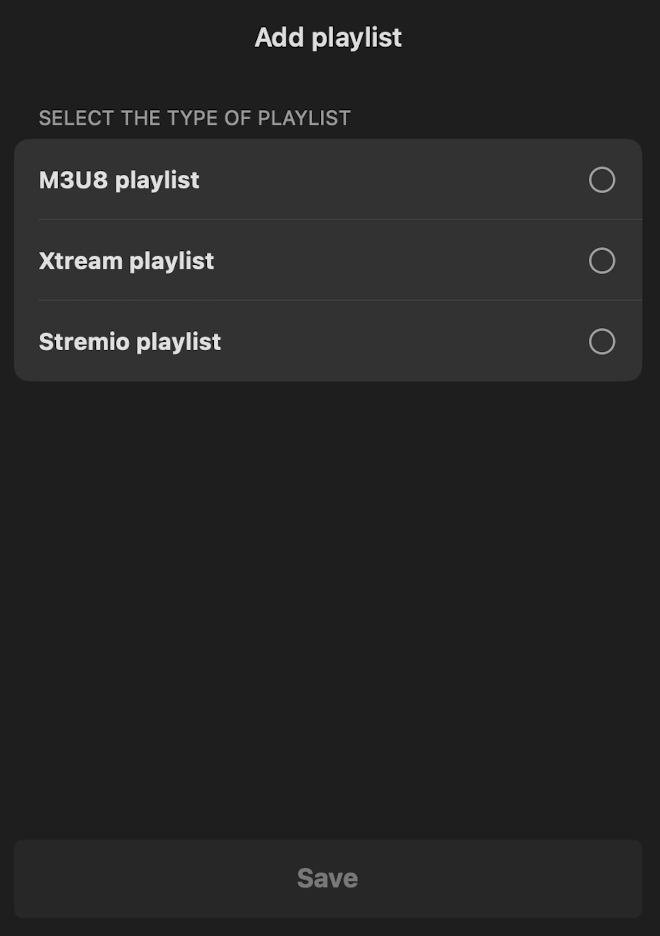
- Click add playlist button to add a new playlist
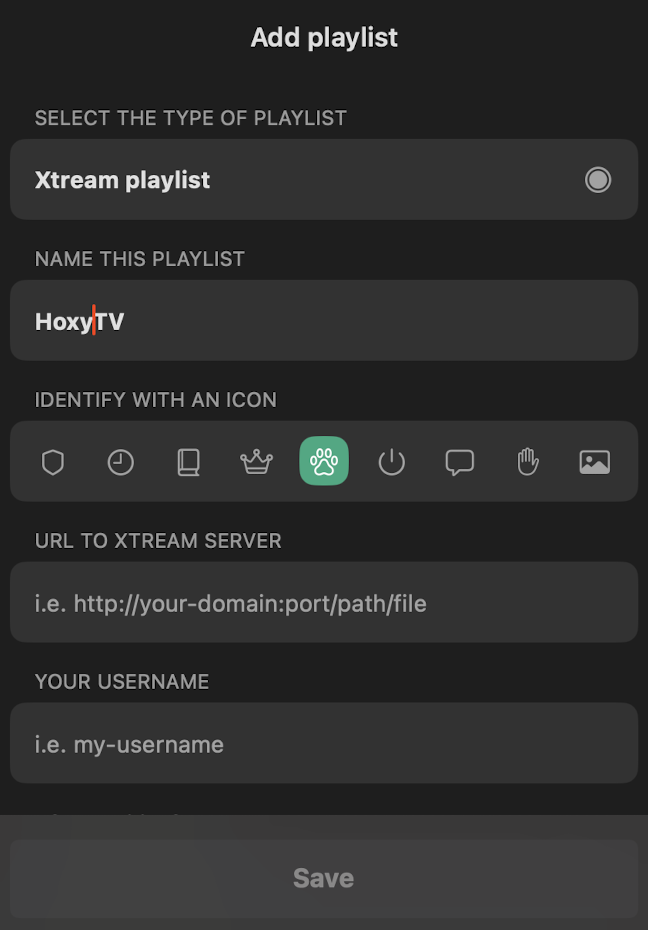
- Choose M3U URL or Xtream Codes API
- Enter your HoxyTV credentials provided to you
- Click Save and wait for channels to load
Step 3: Optimize Settings
- Go to app Settings
- Enable Hardware Decoding for better performance
- Set Connection Timeout to 10 seconds
- Choose your preferred Video Quality
🎉 You're All Set!
Your iOS device is now configured with HoxyTV. Start streaming your favorite content!